The Top 10 Unlimited Video Editing Services Reviewed [Updated for 2026]
![The Top 10 Unlimited Video Editing Services Reviewed [Updated for 2026]](/img/afb4badf4b37644b.jpg)
Published
Top 10 Video Editing Companies [updated 2026]
by David Melvin – LDM Editor
Videos are proving to be a popular medium in marketing, advertising, entertainment, and even education. That’s why, if you haven’t yet, now is a great time to consider growing your business with the use of video.
How does one go about that? One of the best ways is to outsource your work to professionals. That’s why we’ve compiled a list of 9 video editing services. These companies will help you to grow your business through the use of video no matter who is your target audience or what your marketing goals are.
Video editing services at a glance
| Company | Current starting price | Turnaround | Refund or trial |
|---|---|---|---|
| Flocksy | $1,199 annual / $1,699 monthly | Most work same business day; not guaranteed | 14-day guarantee, minus fees |
| Kimp | $1,397 | 24 hours simple; 2–4 days complex | 7-day trial; no money-back guarantee |
| Editvideo | $195 short-form / $295 long-form | 24–48 hours | Free trial; 14-day guarantee |
| Vidpros | $1,000 | 1–2 day overnight; not guaranteed | $100 trial week; no refunds |
| TastyEdits | $94 vertical / $327 horizontal | 24 hours vertical; 48 hours horizontal | No refunds |
| Unlimited Video Editing | $2,500 | 1–2 business days | No trial or guarantee published |
| VideoCaddy | $12–$15/hour | By project | Free trial; no guarantee published |
| VideoHusky | $549 | 1–3 business days | 14-day guarantee |
| Visugu | $249/job or $699/mo | 2–5 business days by plan | 14-day guarantee for new customers |
We recommend Flocksy
For Unlimited Graphic Design, Video Editing, Copywriting and more.
Read our honest review
Flocksy

An Introduction To Flocksy
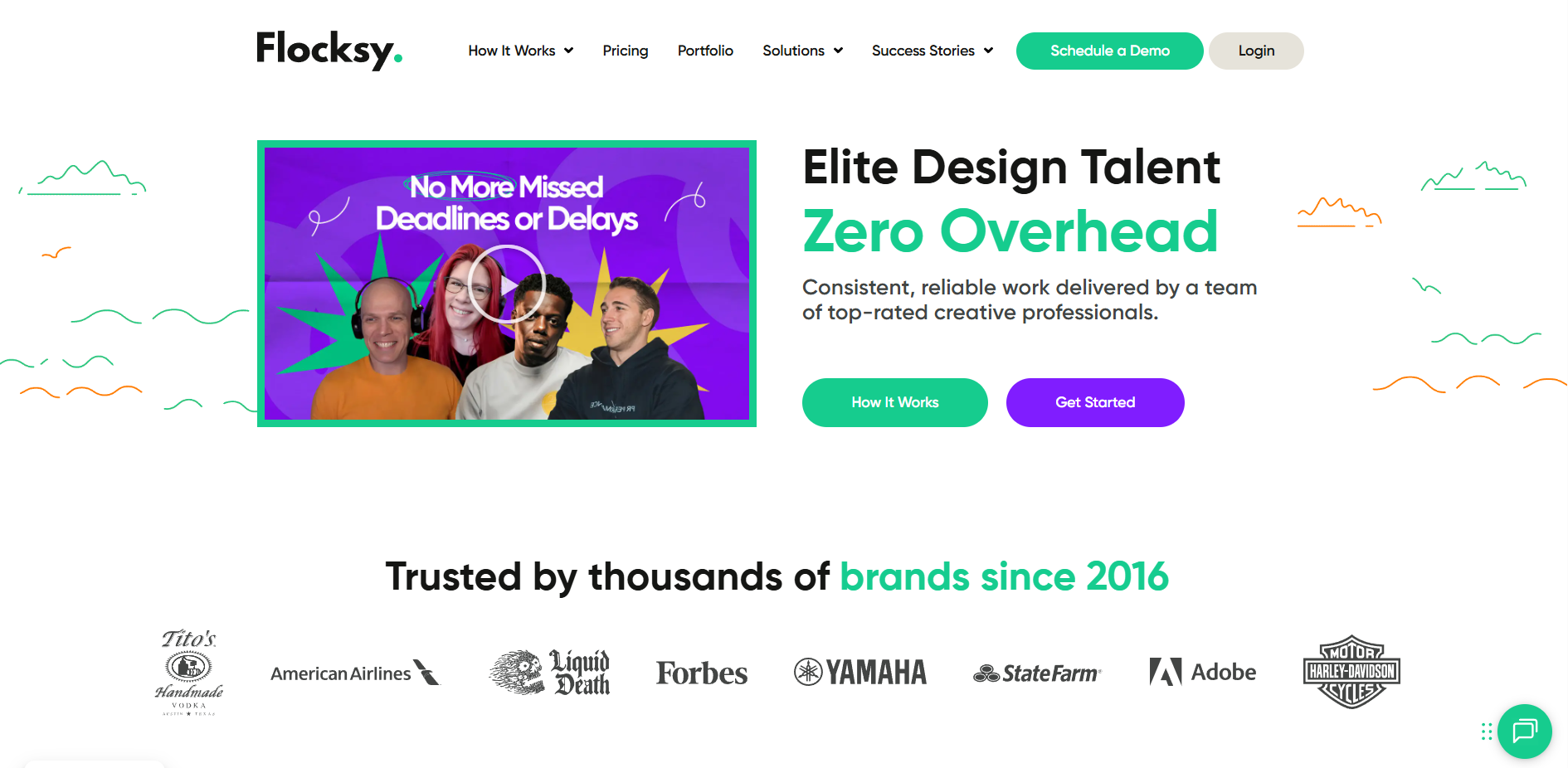
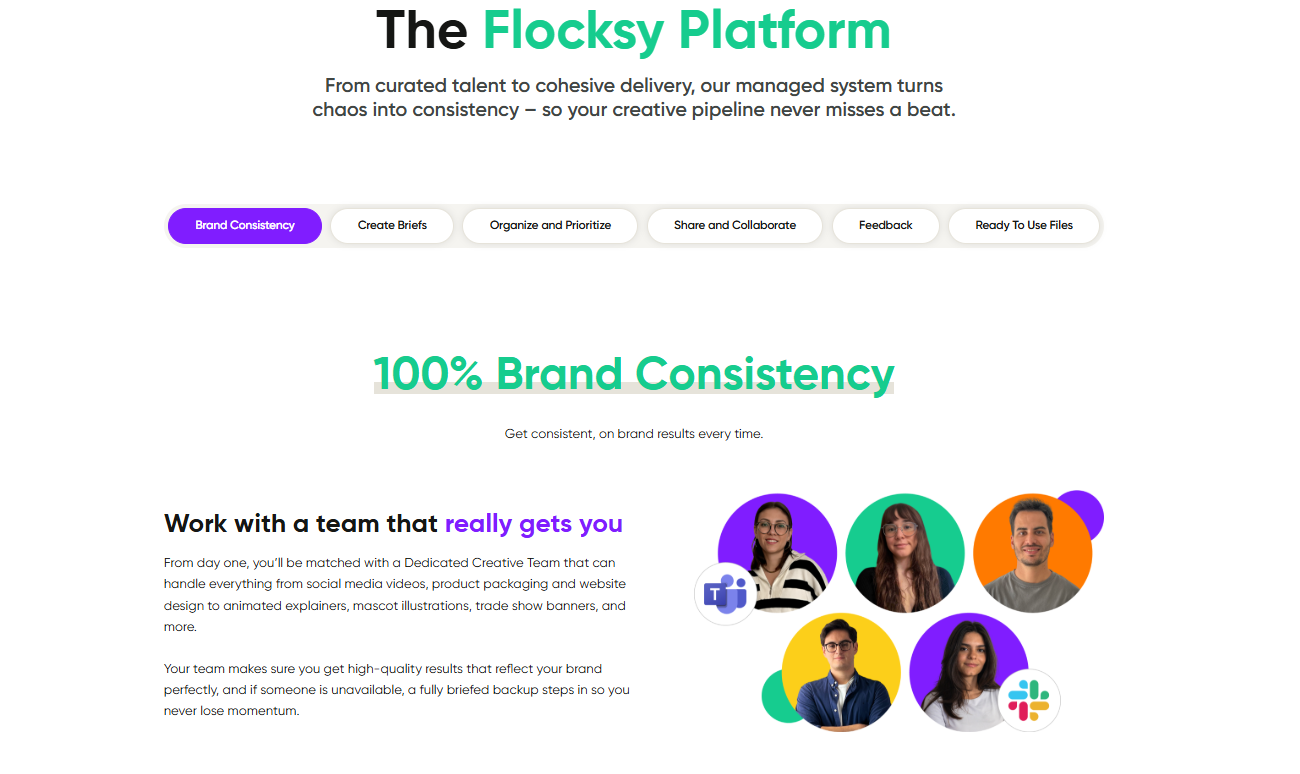
Video is one of the most in-demand creative needs for today’s businesses, and Flocksy makes it simple to keep fresh, on-brand videos flowing every day. Whether you need social media clips, ads, motion graphics, or explainer videos, your dedicated team of editors ensures consistency and speed.
Best of all, video editing is just one of 140+ services available under your plan. That means you can pair your videos with matching ad copy, branded graphics, or landing pages without juggling multiple vendors.
How To Get Started With Flocksy
Flocksy makes it simple to get your work underway:
- Step 1: Choose the daily-hour plan that matches your video needs (2 to 8 hours/day, plus Custom).
- Step 2: Submit your first video project brief; whether it’s editing footage, adding animations, or creating motion graphics.
- Step 3: Your team begins work the same day (if submitted before 12pm EST).
- Step 4: Review drafts, request edits, and fine-tune until it’s perfect.
- Step 5: Once you are all set you can finalize the project.
Is Flocksy A Good Fit For You?
If your business relies on video to market, sell, or engage, Flocksy is built for you. Startups use us for product explainers, marketing teams count on us for campaign videos, and enterprises trust us for high-volume editing across departments.
With Flocksy, you don’t just get great videos, you also get the copy, design, and supporting assets that make them more effective.
Reasons Why Flocksy Is Great:
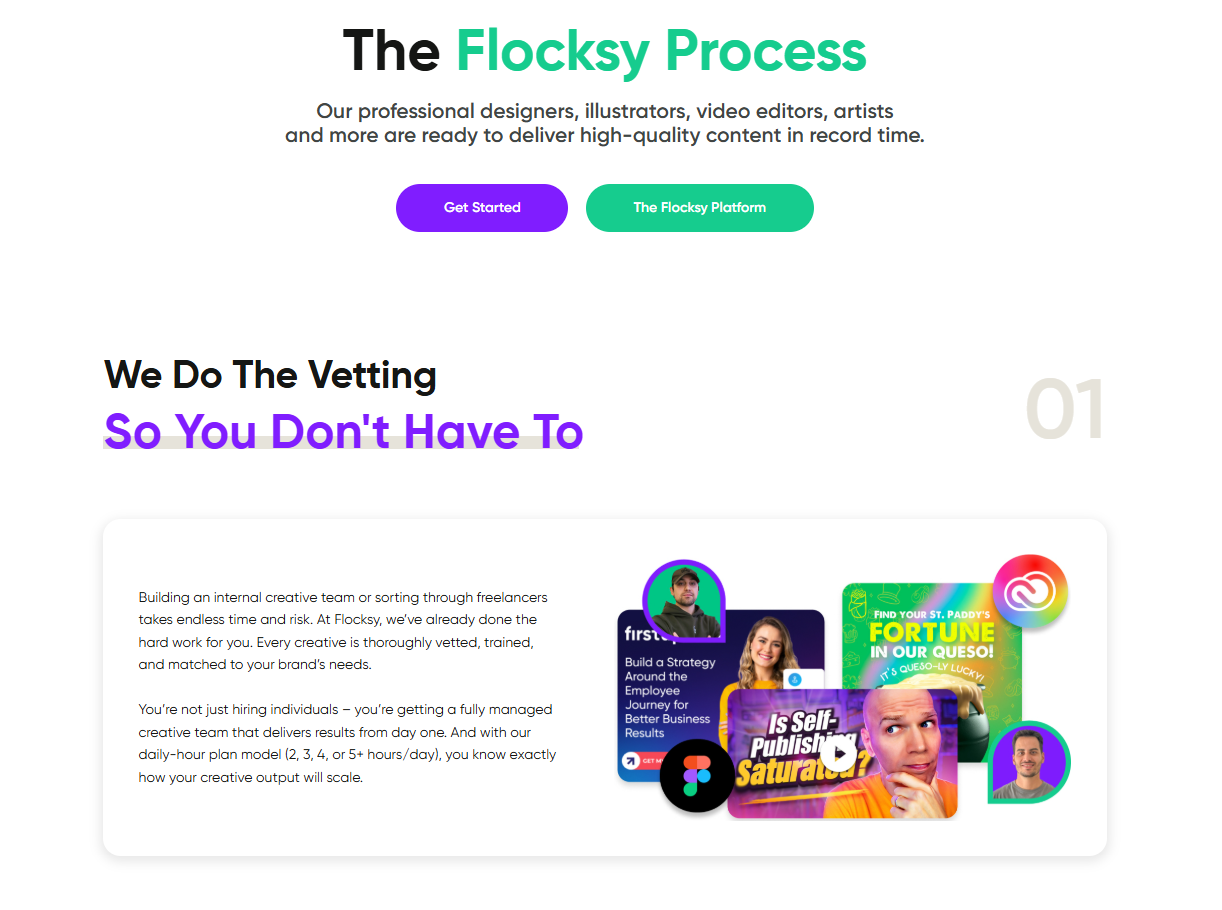
- Professional editors deliver polished video content every day
- Unlimited project queue keeps your video pipeline full
- Motion graphics, animations, and edits are included in your subscription
- Video is supported by 140+ other creative services, so your campaigns stay consistent across channels
- Production Coordinators (on 4+ hour/day plans) oversee workflow and quality, ensuring deadlines are met
Flocksy Cost For Plans:
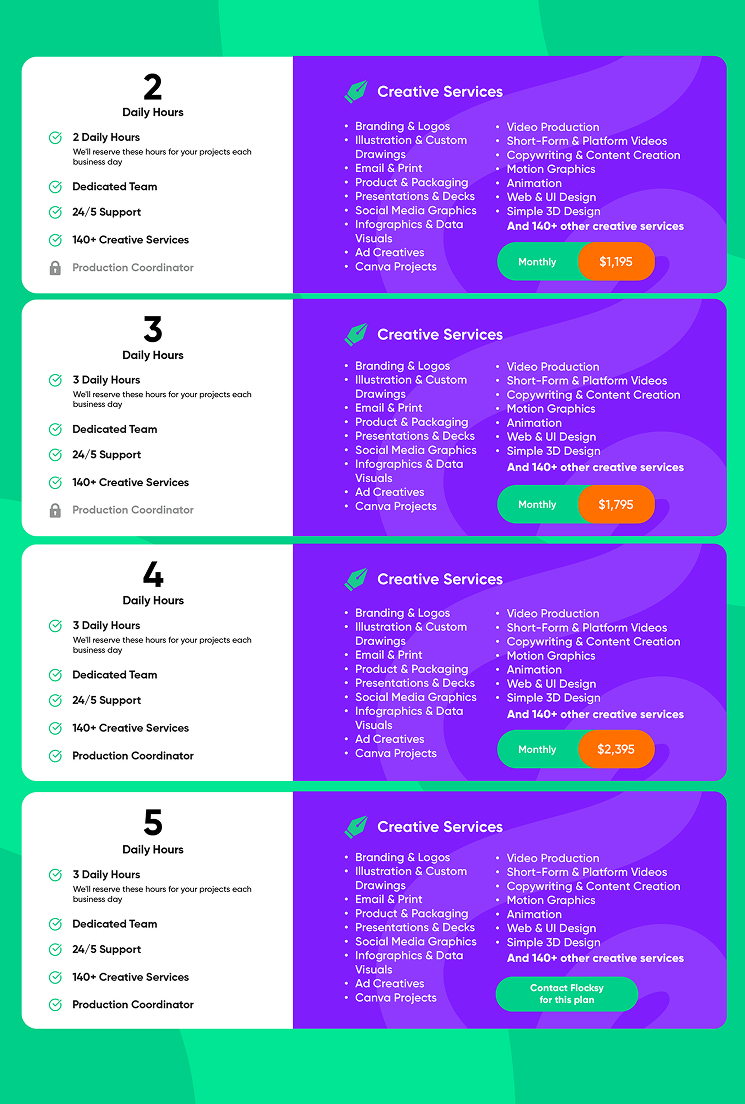
Flocksy offers flexible daily-hour video subscriptions:
- 2 Hours/Day – Great for ongoing video edits and short-form content
- 3 Hours/Day – More hours to handle larger edits or multiple videos each week
- 4 Hours/Day – Includes a Production Coordinator to manage video priorities and brand alignment
- 8 Hours/Day – Enterprise-scale video support with a fixed creative roster working in parallel
Plans can be billed monthly, quarterly, or annually with no long-term contract, and you can scale your hours up or down as your needs evolve.
When Should You Expect To See Results?
Most video projects see same-day progress when submitted before 12 pm EST. Quick edits, captions, and shorter clips can often be delivered within 24 hours. Larger video projects, like multi-minute explainers, motion graphics, or campaigns, are worked on daily until complete, with structured updates along the way.
Positives To Using Flocksy
- Professional video editing is included in every plan
- Steady daily progress on edits, revisions, and new video requests
- Unlimited project queue — your team works through requests each day
- Dedicated creatives who learn your brand’s style and preferences
- Same-day progress for projects submitted before 12 pm EST
Negatives To Using Flocksy
- Larger or more complex video projects may take multiple days to complete
Flocksy is highly rated on G2. See what customers are saying.
Kimp
An Introduction To Kimp
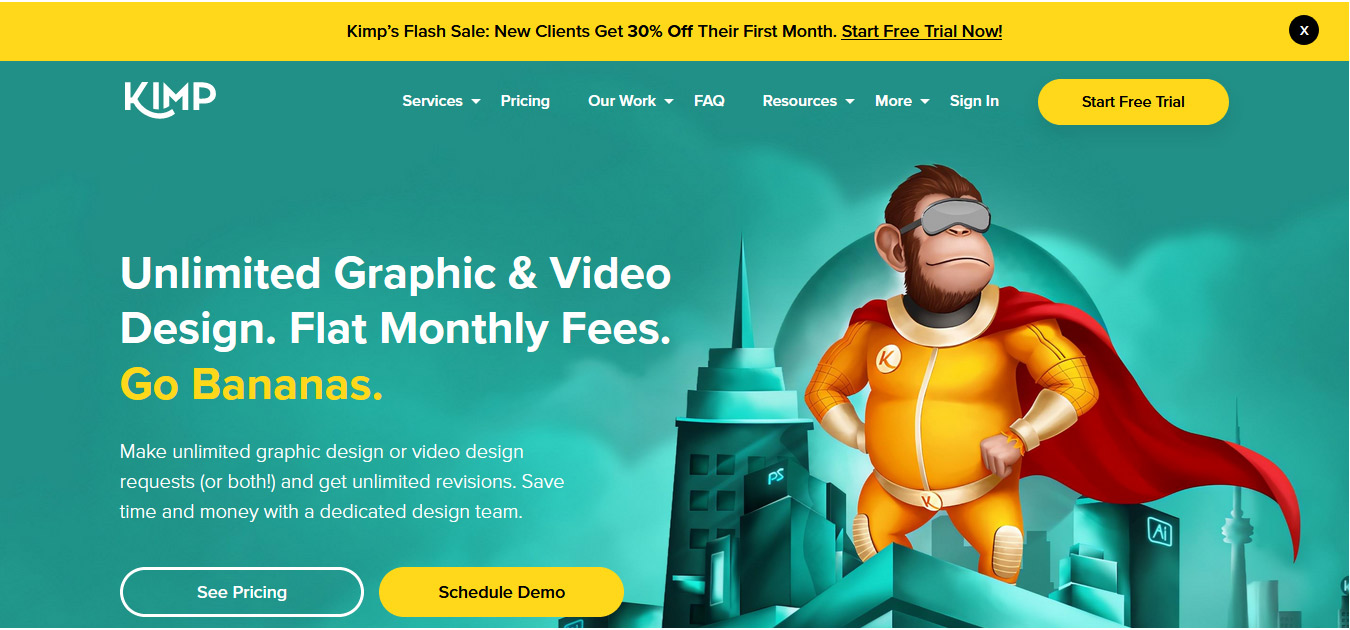
At Kimp, the name of the game is “unlimited.” Unlimited designs, unlimited video requests, and of course, unlimited revisions. And add to that a time saving, fiscally responsible price and you have a winning solution to your graphic needs.
How To Get Started With Kimp
Let’s get your marketing game on point and scale that business. This is how you will do it:
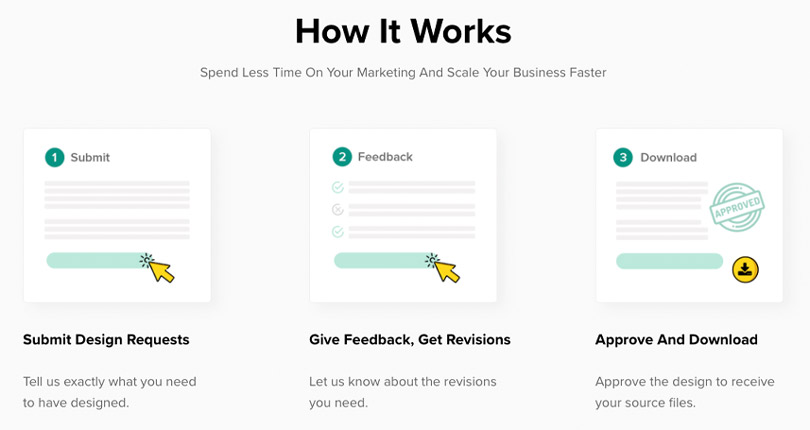
- Step 1: Submit a design request. This is also the time to submit video edits if that is your need.
- Step 2: Tell Kimp exactly what you are looking for, give them feedback on drafts, and set up revisions with your assigned creative.
- Step 3: When all is said and done, approve the work and download the finished product.
- Step 4: See step 1. Kimp works on 3 Graphics, 2 Video, or 5 combined active requests, depending on plan. It is the circle of creative design solutions and marketing management.
Is Kimp A Good Fit For You?
No one wants to wait forever for returns on their project needs. Kimp knows that and has a plan to get things done quickly, professionally, and affordably. They have three plans to suit any budget, a team of creatives with the skills to tackle your desires, and every design is 100% owned by you, the client.
Reasons Why Kimp Is Great:
No hidden cost is one reason. A team setting focused on collaboration is another. And their affordable prices are pretty amazing. But what makes them epic right now is the discount for new clients. You will get 50% off for the first four months, as well as a free trial, just to dip you toe in the water. That, in our opinion, is pretty amazing.
Kimp Cost For Packages
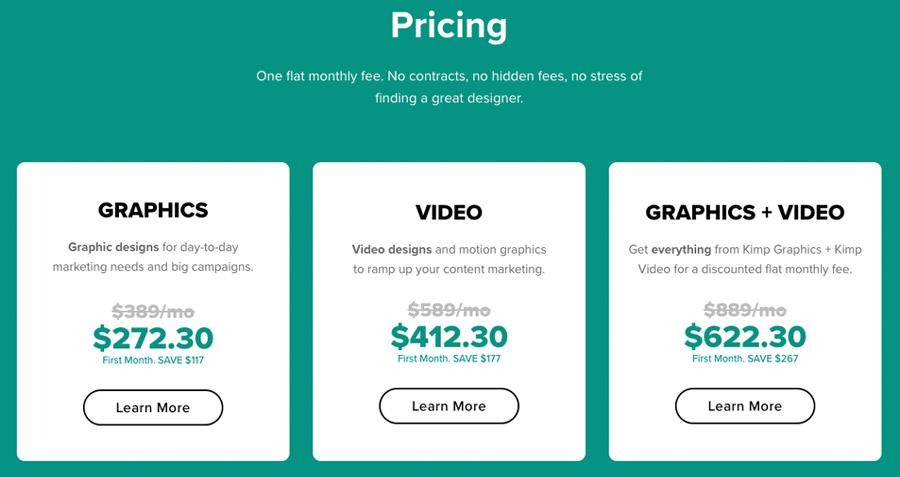
As we said, Kimp has three affordable pricing plan options to choose from, billed monthly, with new clients seeing a 50% discount for the first four months. Take a look at these and pick the one that is right for you:
- Graphics package: $1,397 regular, $698.50 for the first four months, perfect for day-to-day marketing.
- Video package: $1,397 regular, $698.50 for the first four months, just right for all your video design needs.
Or….
- Graphics and Video: $1,697 regular, $848.50 for the first four months, providing the best of both worlds.
All prices are in USD.
When Should You Expect To See Results?
Turnaround depends on the project. For instance, video projects will take longer than graphic projects. What they can say is you will get your design s promptly and they eagerly await feedback.
Positives To Using Kimp
- Unlimited design
- No hidden cost
- Human support
- Easy to sign up
- Own your designs
Negatives To Using Kimp
- No copywriting or coding
- No money-back guarantee; discretionary refunds carry a 5% fee
Editvideo

An Introduction To Meet Editvideo
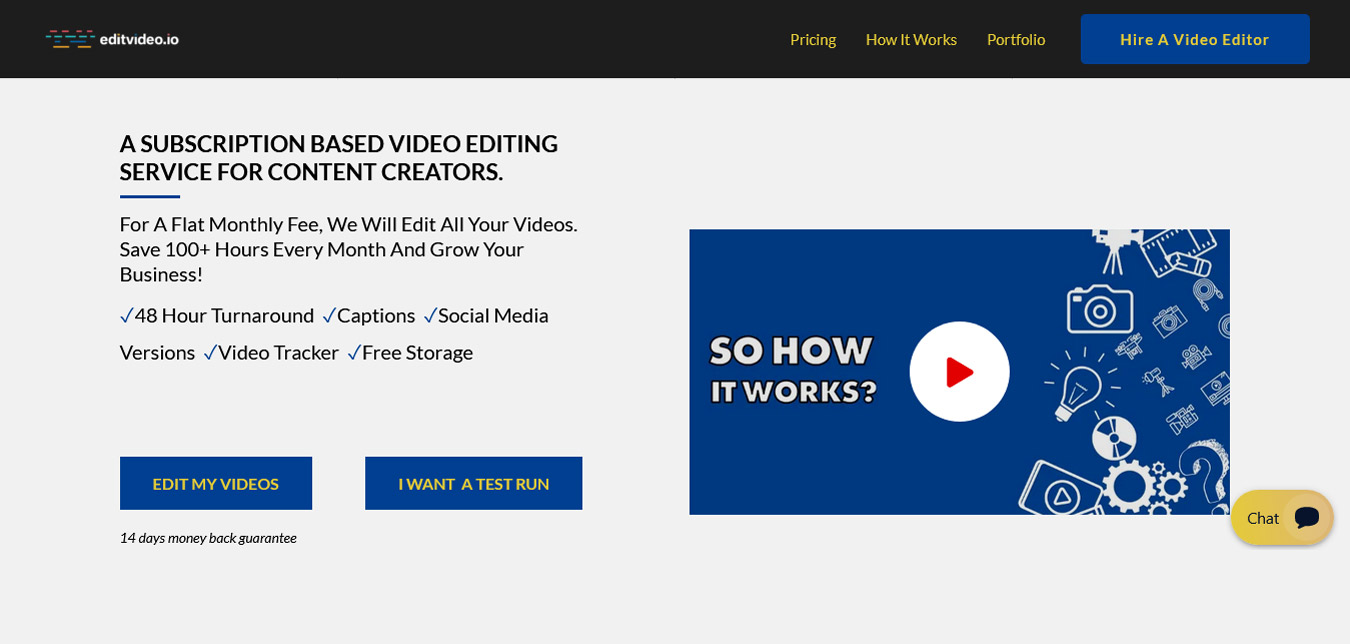
You have a problem. You have too many projects and too little time. Maybe you have insufficient storage space. Perhaps the quality is not up to your standards or the high standards of your competitors. Editvideo is here to make all of these worries go away. And they do it for a flat monthly fee.
How To Get Started With Editvideo
Get your video projects perfected with a monthly video editing service that works with minimal effort for you.
- Step 1: Submit your video request. With various plans to choose from, you can choose the plan that suits your needs.
- Step 2: Share your footage. Upload the raw footage to a dedicated storage space. Give you’re your branding guideline and use the storage allowance included with the selected plan.
- Step 3: Video editing is underway. While you deal with the other parts of your business, Editvideo handles all of your editing needs.
- Step 4: Review the finished product. Let them know if you need further revisions, and if you love it, download it and put it into the universe.
They specialize in creating compelling videos for YouTube.
Is Editvideo A Good Fit For You?
If you need your videos cut and polished by professional editors, then absolutely. They have a team of dedicated editing staff that know exactly how to take your videos from drab to amazing. Get the attention you need, want, and deserve and feel happy doing it through Editvideo.
Reasons Why Editvideo Is Great:
They possess the mad skills to evolve and electrify your video in ways you have only dreamt of and give you plan-based storage from 150GB to 800GB. And they do this with a 14-day money back guarantee. That is pretty sweet. But what takes it over the top is one simple two-word promise…Risk Free.
Editvideo Cost For Packages
Editvideo's plans: Grow $295/mo (4 videos), Scale $495/mo (10), Pro $995/mo (22); short-form from $195/mo; quarterly billing is 10% off. Just a heads up, they do not offer unlimited video requests.
When Should You Expect To See Results?
48 hours is the base turnaround time.
Positives To Using Editvideo
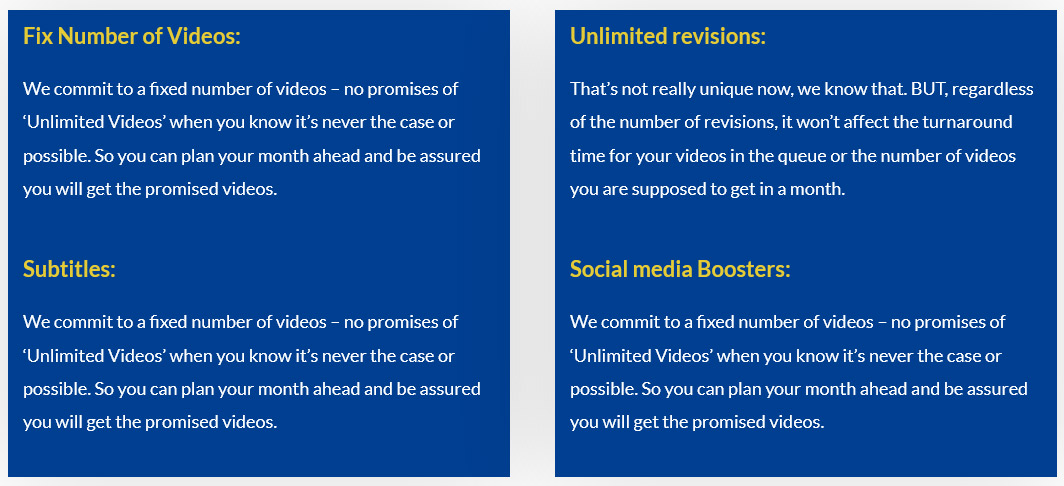
- 14-day moneyback guarantee
- 48-hour Turnaround
- Storage capped by plan
- Free subtitles
- Cancel anytime
Negatives To Using Editvideo
- Video submissions are not unlimited
Learn More About Editvideo Here
Vidpros

An Introduction To Vidpros
Vidpros offers fractional video editing solutions designed to scale your business in an unusual way. They are not a full-time solution, but an as-needed option when you have videos that need a little love. You get a dedicated editor, professional customer service, and your clients will love what they see.
How To Get Started With Vidpros
They make it very easy to get your video editing done with the goal of scaling your business.
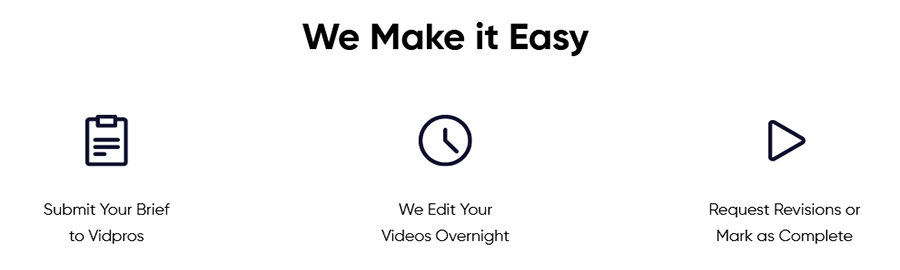
- Step 1: Submit your brief
- Step 2: They provide a 1–2 day overnight turnaround, which is not guaranteed.
- Step 3: You get a copy, at this time can request revisions, or just make the project as complete.
Like we said, a simple solution for editing needs.
Is Vidpros A Good Fit For You?
If you only need editing from time to time, then oh, yeah, they are totally your bag. Maybe you are a new business, a smaller entity, or you have an in-house editor, but they are overwhelmed, and you could use some outside help. Well, you have come to the right place.
Reasons Why VidprosIs Great:
The speed a precision of their work is the hallmark of their skills and dedication to the craft. Some agencies or editing companies cover many aspects of the business, but at Vidpros, they specialize in this one, singular talent. That makes them experts and having an expert do your editing is pretty awesome.
Vidpros Cost For Packages
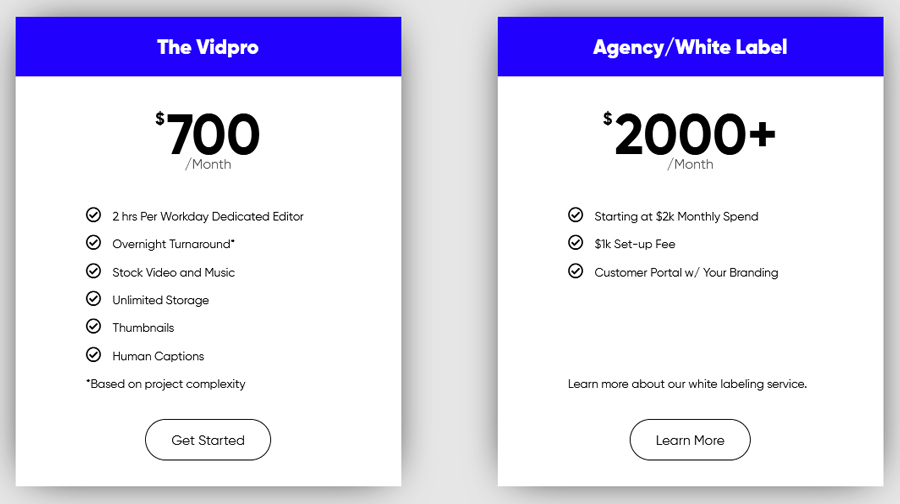
Before we dig into the pricing, it is our pleasure to mention that right now, Vidpros is offering a $100 trial week that converts to the Part Time plan.
There are two package options to consider:
Part Time is $1,000 a month and includes:
- 2 hrs per workday dedicated editor
- Overnight turnaround
- Stock video and music
- Unlimited storage
- Thumnails
- Human captions
*All based on project complexity
White label starts at $4,000 a month, but the options make it prohibitive for startups. We don’t recommend this package.
When Should You Expect To See Results?
Turnaround is described as 1–2 day overnight service, but the terms say it is not guaranteed.
Positives To Using Vidpros
Negatives To Using Vidpros
- Fees are non-refundable
- No mention of cancelation window
- Second package is very expensive
Tastyedits
An Introduction To Tastyedits
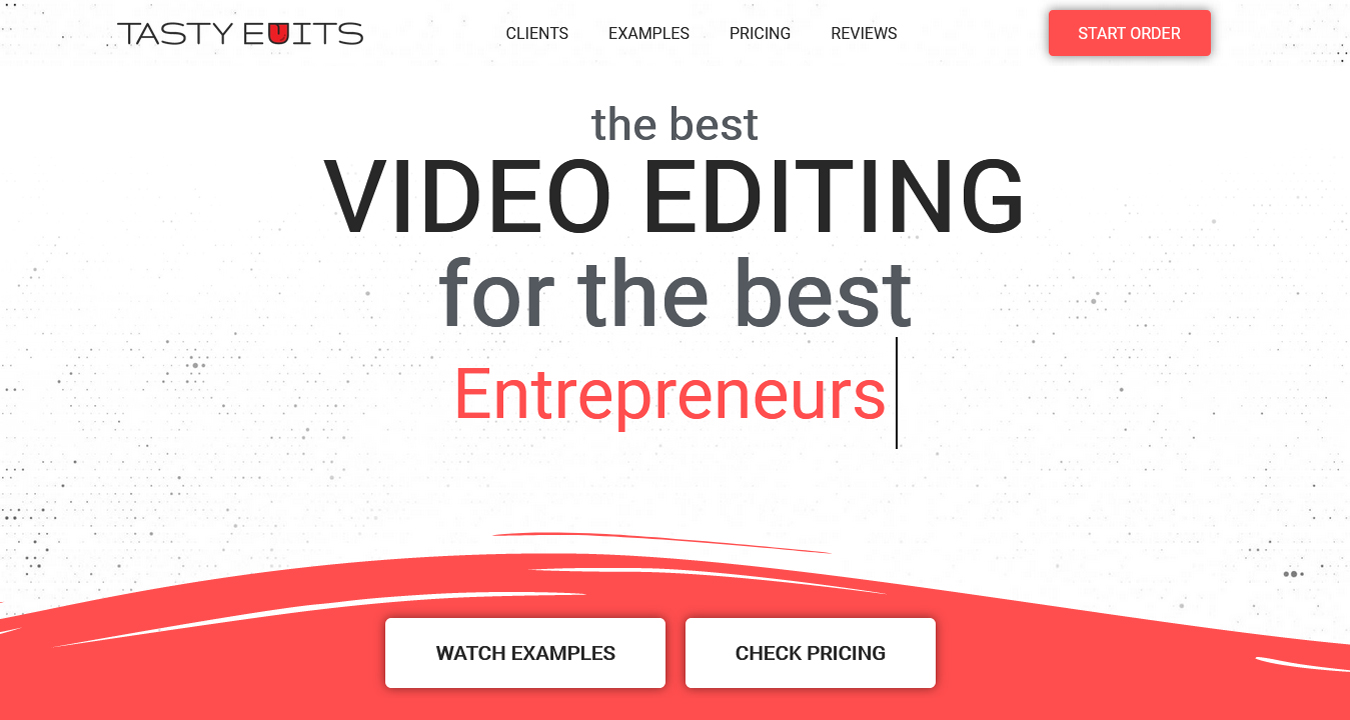
The crew at Tastyedits love working with all many of folk in the field of video creation and editing, including those on both sides of the camera. Let us explain. Not only do they enjoy collaborating with entrepreneurs, but also the creatives who make and edit your videos before you even contact Tastyedits. A true wheel of collaboration.
How To Get Started With Tastyedits
The best way to get you edit started is to click the drop down and push the bottom button marked “start order.” Yeah, we know. Duh!!
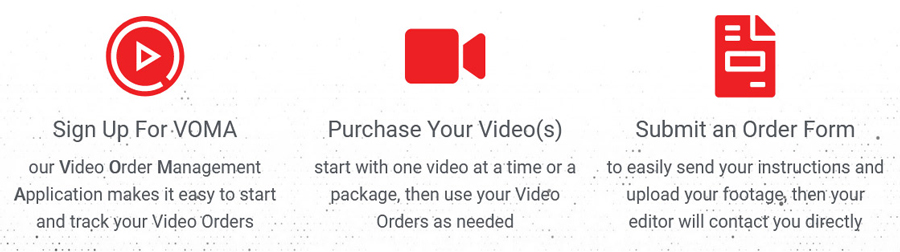
- Step 1: You already pushed the button. So welcome to the process.
- Step 2: Tell them what type of video it is, how long the raw footage is, and whatever add-ons you wish to include in the final draft.
- Step 3: Create a login so you can track progress on the dashboard, while also making future orders quicker to upload.
- Step 4: They get to work. Since they are a collaborative company, you will get updates about the progress as it evolves.
- Step 5: Review, ask for revisions, or download your finished product.
Many of their clients are YouTubers and they have thousands of clients, more than 30,000 edited videos, and over 50 team members.
Is Tastyedits A Good Fit For You?
If you are trying to become an influencer, you have fun things you wish to share with the world, or you just want to make videos for a vlog, this is a great choice. They have a specialized way of making your video pop and sing and all with the crispest resolution and sound your subscribers and clients will appreciate.
Reasons Why Tastyedits Is Great:
Their legacy of clients and completed works is certainly nothing to sniff at. But many companies can say the same. What makes TastyEdits really jump off the page is the insane quality of the videos they produce, and the very reasonable price tag to make them. Most companies charge a lot more for a lot lower end work. TastyEdits strives to make your videos, well, awesome.
Tastyedits Cost For Packages
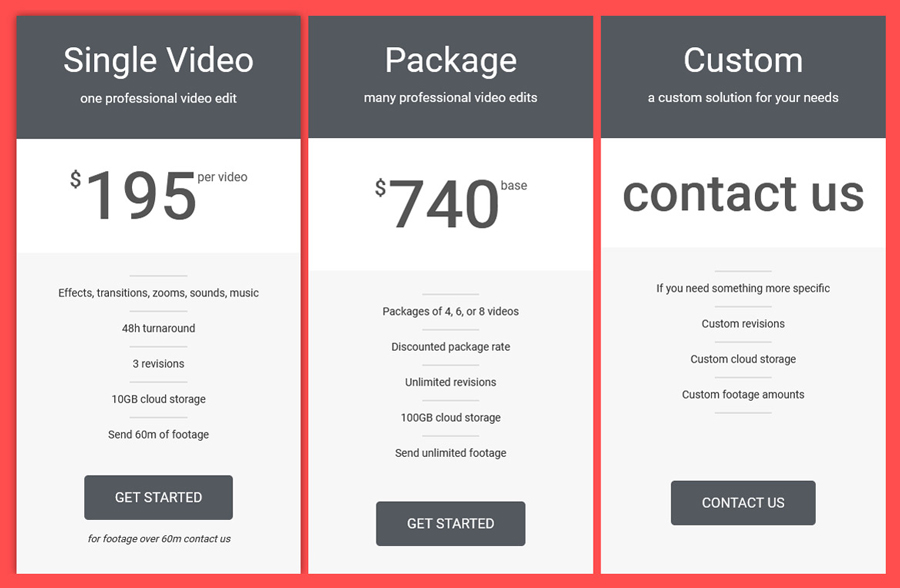
Two packages will serve your video needs nicely. For the beginner, the single package will work, while serious influencers will love to bigger package option. Take a look:
A single horizontal video is $327, and includes:
- Effects, transitions, zooms, sounds, and music
- 48-hour turnaournd
- unlimited revisions
A 4-pack is about $1,220 and an 8-pack about $2,224 and includes:
- Packages of 4, 6, or 8 videos at once
- Discount package rate
- Unlimited revisions
When Should You Expect To See Results?
Typically, about 48 hours.
Positives To Using Tastyedits
- Quick turnaround
- Reasonable pricing
- Lots of satisfied clients
- 30,000+ videos edited
- Unlimited revisions are included on every package
Negatives To Using Tastyedits
- No refunds under any circumstance (terms)
- No mention of cancellation policy
Learn More About Tastyedits Here
Unlimited Video Editing

An Introduction To Unlimited Video Editing
Do you want to have your own little secret to making lots of amazing videos? Then UVE is the place to be. UVE does all your video editing work, saving you hours of time while opening you up to larger and more interesting creative endeavors, all for a flat monthly fee.
How To Get Started With Unlimited Video Editing
They want to test the waters before signing you on, so after you submit your request, the vet your desire to see if you will be a smart match together. If they do, here are the next steps:
- Step 1: After approval, you are assigned a personal account manager who will assign you an editor.
- Step 2: You will be invited to orientation which will introduce you to the dashboard on Notion where you can submit your requests.
- Step 3: Submit your requests and you will get your draft in 1–2 business days.
- Step 4: After you get the draft, request revisions, as many as you like.
That’s it. The only step that is unlike any other company is the vetting process. This is interesting because they know collaboration requires understanding. Would you want to work with someone you did not jive with?
Is ULE A Good Fit For You?
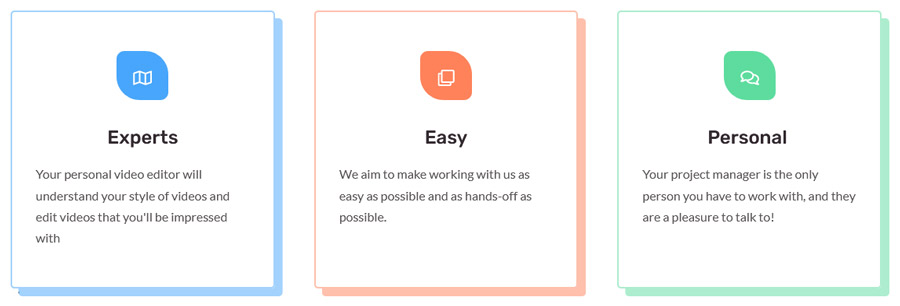
We think they just might be. How do we know? Because they go the extra mile for their client relationship. They desire a cohesive structure to ensure the best outcome. Plus, they give you unlimited revisions which offer you a measure of control over the finished product. And the turnaround is quick.
Reasons Why ULE Is Great:
They are experts in the field of video editing. They know the styles that will turn heads. They make the entire process look easy. They have a pretty impressive price point that is reasonable under the typical standards in the field. And you only work with your personal manager so there is no “phone game” miscommunications.
ULE Cost For Packages
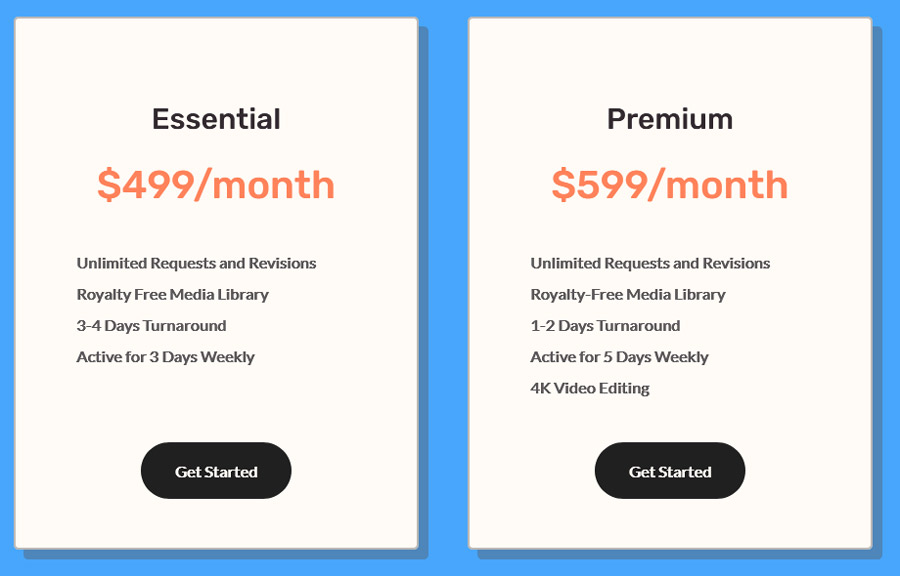
Two prices are available for your selecting pleasure:
The Unlimited plan is $2,500 a month and covers:
- Unlimited requests and revisions (requests are handled one at a time)
- Royalty free media
- 1–2 business day first draft
- One dedicated editor plus a client manager
The Unlimited + plan is $3,000 a month and includes:
- Unlimited requests and revisions (still one at a time)
- Royalty free media
- 1-2 days Turnaround
- Active for 5 days weekly
- Thumbnails, uploading, and SEO titles
When Should You Expect To See Results?
First drafts arrive in 1–2 business days.
Positives To Using Unlimited Video Editing
Negatives To Using Unlimited Video Editing
- Basic one page website
- No mention of trial period
- No mention of guarantee
Learn More About Unlimited Video Editing Here
VideoCaddy

An Introduction To VideoCaddy
For a buddy in the business, VideoCaddy is here. They do video editing to the highest of professional standards and go way past post-production support. Get your editing done and have a lifeline that will guide you beyond the end of your work. They hold your hand until you are ready to let go.
How To Get Started With VideoCaddy
With only 4 steps, you can have your video made into an amazing audio vidual experience.
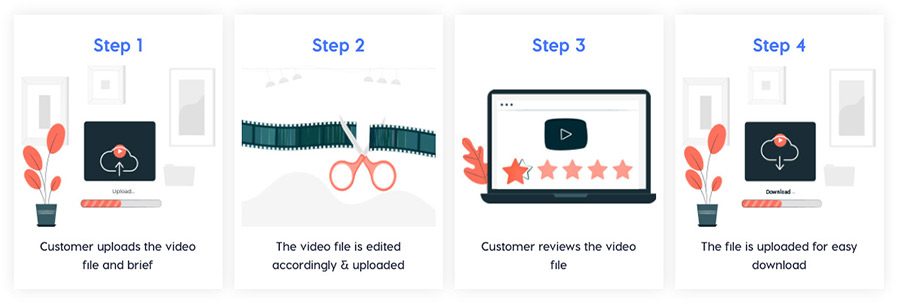
- Step 1: Upload your file or brief.
- Step 2: File is edited accordingly and uploaded.
- Step 3: This is the time for your scrutiny. Review the draft and ask for revisions.
- Step 4: Your finished file is uploaded and available for easy download.
That’s all she wrote. 4 simple steps to glory.
Is VideoCaddy A Good Fit For You?
With a quick turnaround and plenty of happy clients, it is a good investment in your business, and your sanity. Too many agencies and video editing companies complicate things so you must be reliant on them. VideoCaddy keeps it simple, does the work, and gives you great product. So, in short, yes. They are.
Reasons Why VideoCaddy Is Great:
While they are the leading video editing team in India, the still believe in enabling clients in the United States to enjoy seamless and profitable videos through their outsourced talents. They offer planty of video editing options across the board. Plus…free trial. And who doesn’t love a free trial. And they don’t just do business videos but offers sports and wedding video editing. Pretty cool, huh.
VideoCaddy Cost For Packages
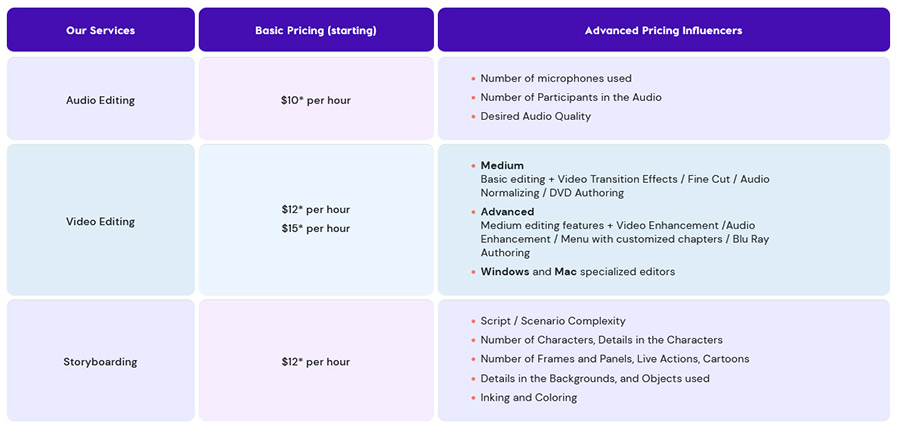
The pricing structure for VideoCaddy is ala carte. To get an understanding of what they offer, the individual prices, and what is involved in each item, it is best to visit the sight. It does not seem to indicate a package pricing options.
When Should You Expect To See Results?
Turnaround varies based on the project you hire them to undertake. For instance, corporate video editing may take a couple of days where your a wedding or sports edit could be done in a night.
Positives To Using VideoCaddy
- Free trial
- Lots of services
- Quick turnaround
- Easy sign up and request process
Negatives To Using VideoCaddy
- No money back guarantee listed
- Ala Carte services (no packages)
- No cancelation policy listed
Learn More About VideoCaddy Here
VideoHusky

An Introduction To VideoHusky
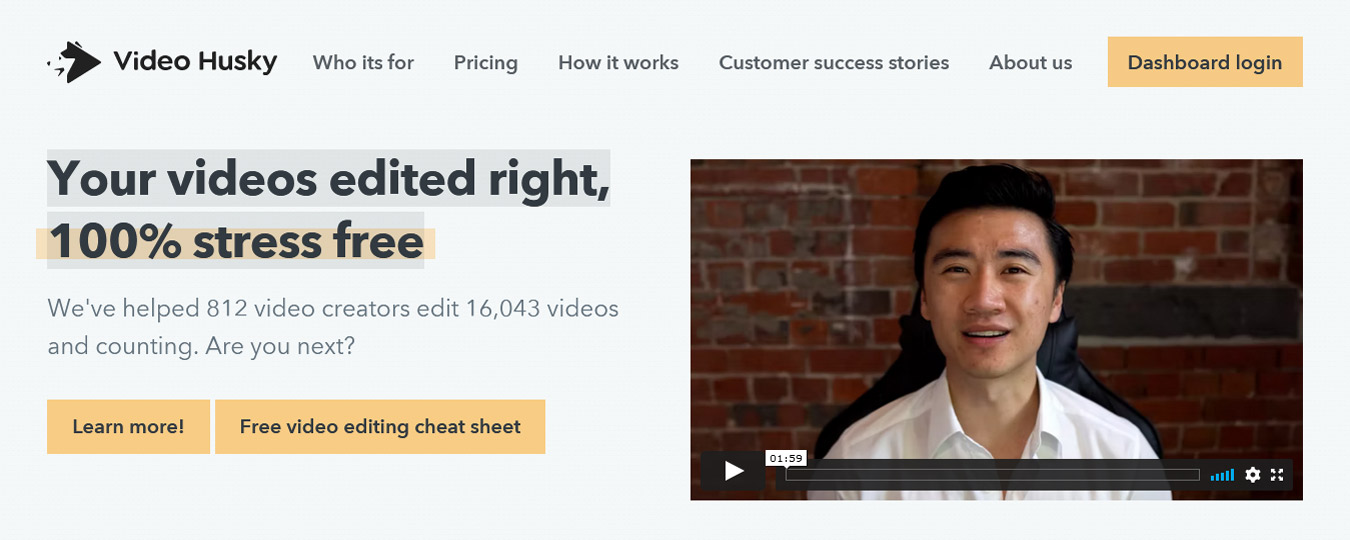
VideoHusky knows that editing your videos can be stressful. They not only sympathize, but they also created a plan for you to remove all stress and get your videos back to you quickly and edited to perfection. Never struggle to organize your videos again.
How To Get Started With VideoHusky
VideoHusky can determine if you are a good fit for their services based on some basic parameters, all sussed out during this simple process:
- Step 1: Choose either a monthly, quarterly, or semi-annual plan with a 3-month minimum. Everything you need is offered for one flat-fee.
- Step 2: Book an onboarding call. A member of the editing staff will walk you through the project dashboard and help you complete your bio.
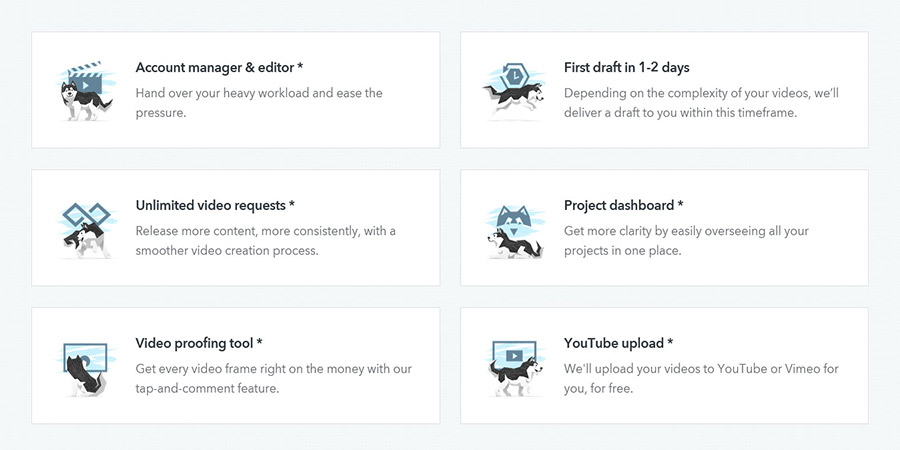
- Step 3: Tour the new project dashboard. After creating an account in the project dashboard you will be able to upload your videos for VideoHusky’s team to undertake.
- Step 4: Send in your videos. Give all the link info, footage, brand info, and any editing instructions.
- Step 4.5: You can upload up to 40GB of footage for them to turn into you vision.
- Step 5: Get your first draft in just 1–3 business days. It might take longer with more complex requests, but for the most part, this is the standard turnaround. Pretty quick.
- Step 6: Use the video proofing tool on the dashboard to see the draft and request revisions and further editing.
- Step 7: If it is everything you hoped for, download it and send it into the world.
Is VideoHusky A Good Fit For You?
If you are a content creator with a clear idea how you want your video to look like when done, then yes. If you have a backlog of videos waiting to be edited but no time to do it yourself, then yes. But most importantly, you think a working relationship with an editor for creative collaboration sounds like heaven, then absolutely, this is for you.
Reasons Why VideoHusky Is Great:
They specialize in video edits for audio visual content directed toward social media. They want your videos to hum, to pop, to sizzle, and to draw the eyes you need to scale your business. They are in the trade that makes an ROI an almost guaranteed truth. Any company that focuses on giving you new revenue through their excellence in skill is pretty awesome. Wouldn’t you agree?
VideoHusky Cost For Packages
Four plans (Pom $549, Eskimo $849, Siberian $1,590, St. Bernard $2,749), billed monthly, quarterly or semi-annually with a 3-month minimum; quarterly and semi-annual take 10% off.
When Should You Expect To See Results?
1–3 business days for almost all projects.
Positives To Using VideoHusky
- Free consultation
- Dedicated manager
- Dedicated slack channel
- Premium stock assets
- Affordable prices
- Agencies and production houses supported
Negatives To Using VideoHusky
- Pom and Eskimo exports are about 20 minutes; higher tiers handle 20–90 minutes
Learn More About VideoHusky Here
Visugu

An Introduction To Visugu
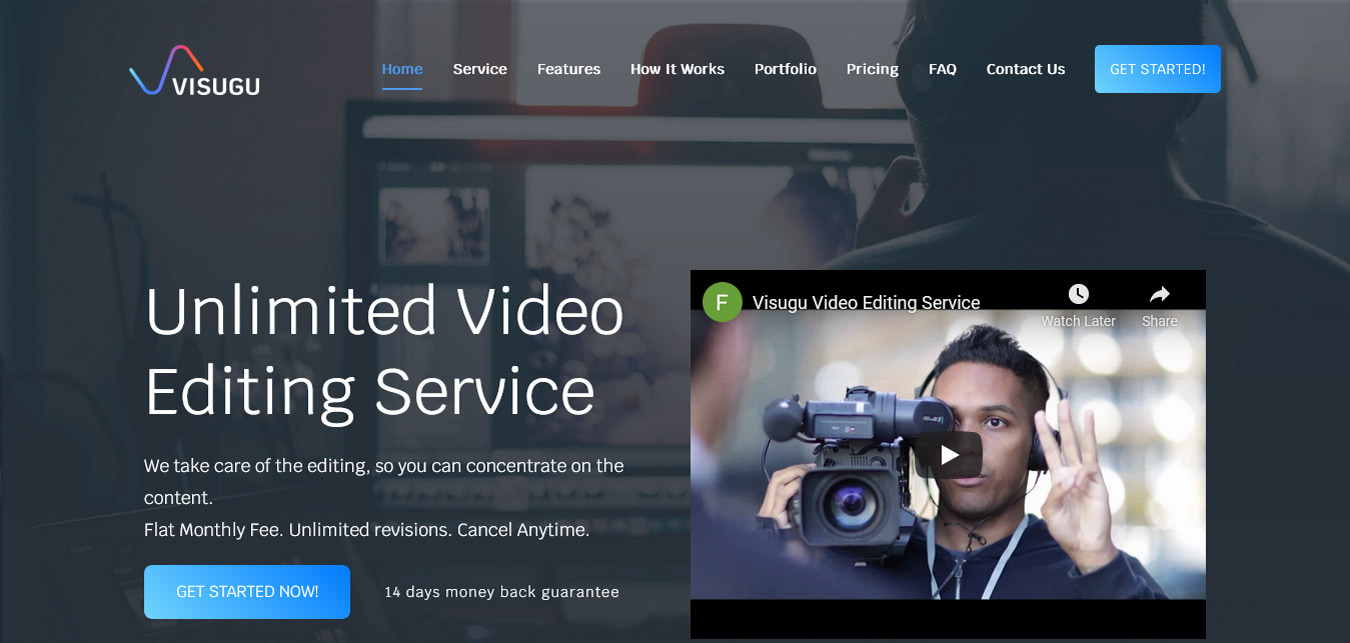
With a flat fee, unlimited revisions, and a very reasonable cancellation policy, Visugu is a worry-free editing source that knows you have a lot on your plate. Let them take this one thing off it and give you a little more freedom to do what you do best…innovate.
How To Get Started With Visigu
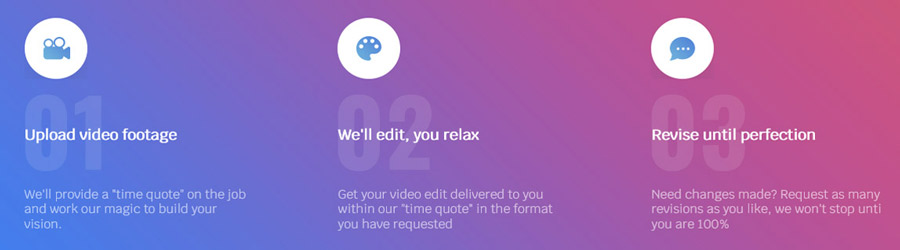
- Step 1: Take a deep breath. Do you hear that? Its free time you didn’t have before joining with Vidugu. Let us show you how easy it can be:
- Step 2: Start with uploading your footage. They can even give you a time quote at this step.
- Step 3: Relax and let them do your editing. And they will have it back within the time quote window.
- Step 4: Request revisions and let them revise until it is perfect. They won’t stop until it turns heads with its epic perfection.
That is it. So simple, anyone can do it.
Is Visugu A Good Fit For You?
We think it is. Why? Because everyone agrees, you have too little free time to edit your videos. Sure, it might seem like editing would be easy, and for those in the know that do only editing, it is a piece of cake. But for business owners with many balls in the air, it can be tricky. Let Visugu do it for you.
Reasons Why Visugu Is Great:
They want you to stress less and editing your videos is a great first step. But they take the worry-free mantra further by offering a 14-day money back guarantee, an anytime cancellation policy, and they do it for a flat fee. Add to that a fast turnaround and a suite of perks and you have the recipe for awesome at your fingertips.
Visugu Cost For Packages
You can pay per job or by the flat subscription. It is up to you. Make the right choice and save money in the long run. Here are your three options: Single job $249 (5-day turnaround), Casual $699/mo (4 requests), The Director $999/mo (unlimited requests); annual billing 15% off.
When Should You Expect To See Results?
The turnaround varies with the package you choose. View these packages above to see turnaround time options.
Positives To Using Visugu
- 14-day money back guarantee
- On-demand edits
- Royalty free music
- Stock video for free
- Dedicated account manager
- Annual billing is 15% off
Negatives To Using Visugu
- Long turnaround for single jobs